
syntaxHighlight(true, theme: EMACS);Highlight your Code with Chitra's New Syntax Highlighting Feature!
Aug 11, 2026
2 minutes read.
d
dlang
chitra
lua
The latest release of Chitra (v0.5) added a syntax-highlighting feature using the Python Pygments (https://pygments.org/) library. In this blog post, we will understand why I selected the Python Pygments library and how to use it with Chitra.
Chitra is a 2D graphics library in the D programming language. It uses the Pango library and Cairo Graphics for rendering text. Pango Markup is a very interesting feature that can be used to draw text with mixed formatting.
Python Pygments highlights:
-
Python Pygments supports generating Pango Markup directly from the code input (https://pygments.org/docs/formatters/#PangoMarkupFormatter)
-
Pygments supports 600+ languages and other text formats (See the full list of supported languages https://pygments.org/languages)
-
It can be used as a command-line program.
-
Many themes are supported (See the full list of available themes https://pygments.org/styles)
Enable syntax highlighting by running the following command. Optionally specify the theme name as the second argument.
Now add the code block between triple backticks (Similar to GitHub-flavoured Markdown).
```js
function hello() {
    console.log("Hello World!");
}
```
Chitra parses the text, runs the Pygmentize CLI program, and collects the output as Pango markup and renders it.
Full Example:
/+ dub.sdl:
dependency "chitra" version="~>0.5.0"
 +/

import std.stdio;
import chitra;

string sampleTxt = q"[Javascript function example

```js
function hello() {
    console.log("Hello World!");
}
```

Some text after the code.
]";

void main()
{
    auto ctx = new Chitra(500, 300);

    with (ctx)
    {
        background("#3F3F3F");
        noStroke;

        syntaxHighlight(true, theme: ZENBURN);

        fill(255);
        font("American Typewriter", 16);
        text(sampleTxt, 50, 50);

        saveAs("code.png", resolution: 72);
    }
}
Run below command to generate code.png file.
dub code.d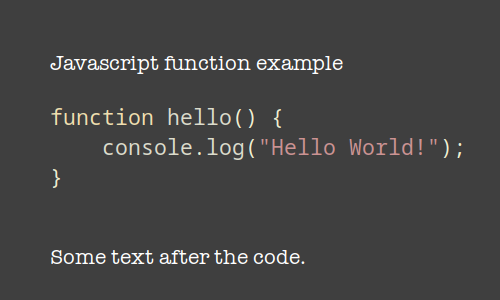
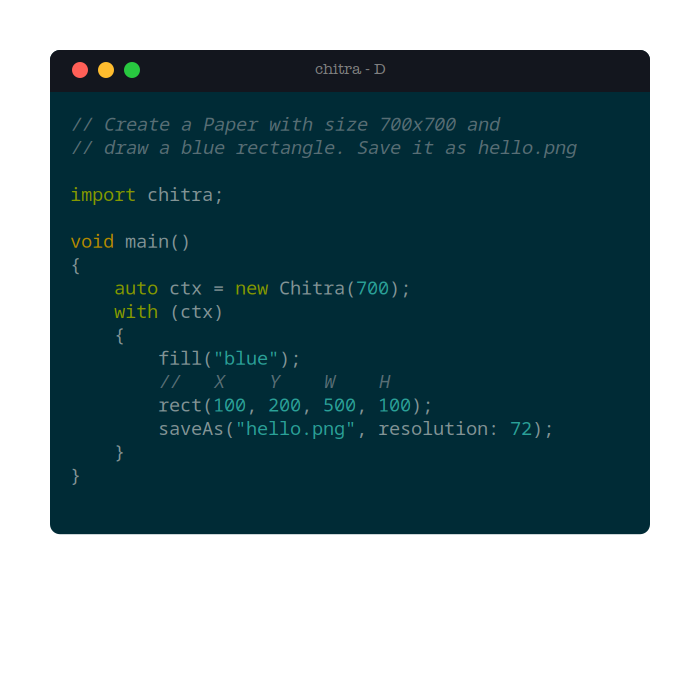
Check out this example of showing syntax-highlighted code inside a terminal window.
-
Link to Gallery: https://github.com/aravindavk/chitra-d/wiki/Gallery
-
Documentation: https://github.com/aravindavk/chitra-d/wiki
About Aravinda VK
Partner at Kadalu Investments, Creator of Sanka, Creator of Chitra, GlusterFS core team member, Maintainer of Kadalu Storage